You run a frequency extraction after a static step and the frequencies come out the same whether or not the part had yielded. You run a static linear perturbation step and the reaction force is a fraction of what you expected. You add a buckle step after a bolt load and nothing seems to carry over.
None of these are bugs. They are what a linear perturbation step is supposed to do. Abaqus has two completely different kinds of step, and the Step module does not shout about which one you just created.
The two kinds of step in Abaqus
The documentation is direct about this. “An analysis step during which the response can be either linear or nonlinear is called a general analysis step.” A linear perturbation step, by contrast, can only analyse linear response.
Two practical consequences follow immediately:
- General steps work in Abaqus/Standard and Abaqus/Explicit. Linear perturbation steps are available only in Abaqus/Standard.
- In the input file, a step is general unless you say otherwise. Omitting the
PERTURBATIONparameter on*STEPmeans a general procedure is required.
In Abaqus/CAE the step types grouped under linear perturbation are: static linear perturbation, frequency, buckle, complex frequency, modal dynamics, random response, response spectrum, the three steady-state dynamic procedures, substructure generation, and time-harmonic electromagnetic. Static exists in both flavours, which is why it causes the most trouble.
The base state is the link between them
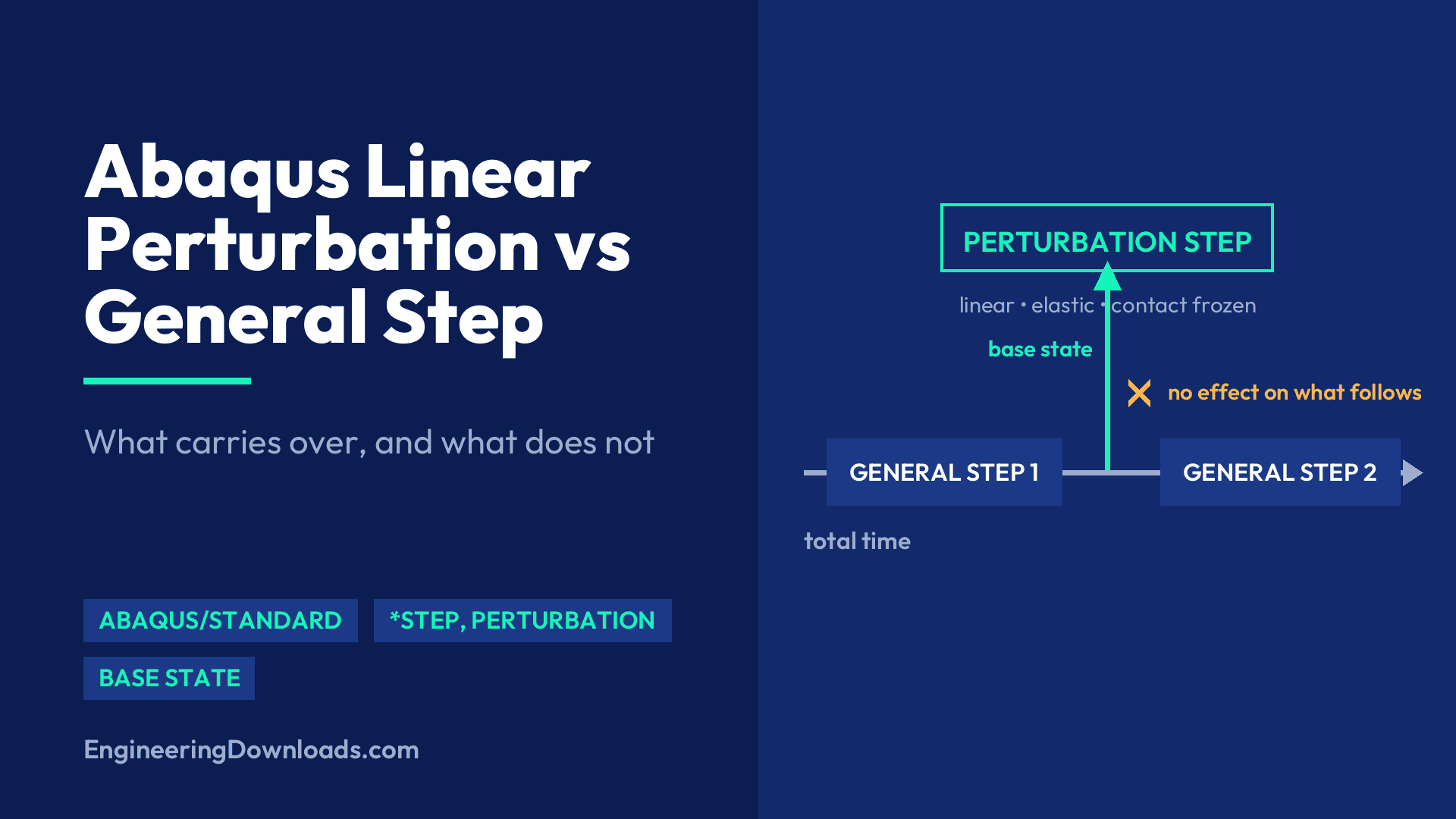
“The base state is the current state of the model at the end of the last general analysis step prior to the linear perturbation step.” If a perturbation step is the first step in the job, the base state comes from your initial conditions instead.
A perturbation step does not start from nothing — it solves a small linear problem about a state a general step left behind. Because stresses, strains and temperatures are updated through every general step, the effects of previous history are carried into each new step. Run a geometrically nonlinear static step and then extract frequencies, and the preload stiffness is included. If NLGEOM was on in that general step, stress stiffening or softening and load stiffness effects from pressure and other follower forces are included in the perturbation too.
That is how you get the frequencies of a tensioned cable or the modes of a bolted joint that is actually clamped.
Setting up a preloaded perturbation
The pattern is always the same:
- Step 1 — a general static step that applies the preload. Turn on geometric nonlinearity (Step > Create > Static, General, Nlgeom: On, or
*STATICwithNLGEOM=YESon*STEP). - Step 2 — the perturbation step: Step > Create > Linear perturbation > Frequency (or Buckle), which writes
*FREQUENCYor*BUCKLEunder*STEP, PERTURBATION. - Leave the preload active. You are not re-applying it in step 2 — it is already in the base state.
Get the order wrong and you get the unloaded answer: put the frequency step first and the base state is just your initial conditions.
What a perturbation step throws away
This is where most of the surprise lives. The perturbation response is built from the model’s linear elastic (or viscoelastic) stiffness at the base state, and “plasticity and other inelastic effects are ignored” during such a step.
So for an elastic-plastic material the perturbation uses the initial elastic modulus, not a softened tangent reflecting the yielding you just computed. The plastic strain and the deformed geometry are still in the base state — the stiffness is not.
Some material models behave differently:
- Hyperelastic and hypoelastic — the tangent elastic moduli in the base state are used, so the perturbation does see the stiffening of a stretched rubber.
- Cracked concrete — the damaged elastic (secant) moduli are used.
- Temperature- and field-dependent materials — perturbations of temperature and field variables are ignored for the material properties, although a temperature perturbation will still produce a perturbation of thermal strain.
Contact is frozen as well. The open or closed status of each constraint stays as it was in the base state, and frictional slipping is not allowed — every point in contact is assumed to be sticking if friction is present. The exception is real or complex eigenvalue extraction, where slipping is assumed at nodes with a velocity differential imposed by a reference frame or transport velocity.
If your question is whether a contact patch opens up under the extra load, a perturbation step cannot answer it. That needs a general step.
Loads and results are perturbations, not totals
This single rule explains most of the “my reaction force is wrong” reports.
In a perturbation step, “load magnitudes (including the magnitudes of prescribed boundary conditions) during a linear perturbation analysis step are defined as the magnitudes of the load perturbations only.” And on the output side: “the value of any solution variable is output as the perturbation value only” — the base state value is not included.
In a general step, loads must be defined as total values.
So a bar carrying 100 kN from step 1, given a 10 kN load in a static perturbation step 2, reports the stress and displacement caused by the extra 10 kN. Not the total under 110 kN. If you want totals, you add the base state values yourself, or you use a general step.
Mixing the two conventions up in one job is a quiet way to under-report stress by a factor of ten, so be deliberate about what you request as output in each step.
Perturbation steps do not change the history
“Linear perturbation steps have no effect on subsequent general analysis steps.” You can drop them into a nonlinear history to interrogate the structure at intervals, and the general analysis continues from where it was as if they had never run.
That is why step time works the way it does. Every general step has its own step time starting at zero, and those accumulate into total time. The step time of a perturbation step is taken arbitrarily to be a very small number (10-36) and is never accumulated into total time. The modal dynamics procedure is the exception.
Because there is no real time period, amplitude references are limited to frequency-dependent loads in steady-state dynamics and base motion in mode-based procedures. A time-based amplitude curve has nothing to act on.
Two things general steps can do that perturbation steps cannot — and one in reverse
General steps own anything path-dependent: plasticity, creep, damage, changing contact, large sliding, Riks post-buckling. They solve one set of applied loads at a time.
Perturbation steps can do something general steps cannot: static and direct steady-state dynamic (and SIM-based steady-state dynamic) perturbation steps can solve multiple load cases simultaneously. If you need twenty unit load cases on the same preloaded model, that is a static perturbation step, not twenty jobs.
Two restrictions are worth knowing. A general implicit dynamic analysis cannot be interrupted to perform a perturbation analysis — Abaqus/Standard requires static equilibrium first. And Standard and Explicit procedures cannot be mixed in one analysis, which rules out a perturbation step straight after an explicit event.
Common mistakes
- Expecting plasticity to soften your modes. It will not. A frequency step after a yielding static step uses the elastic modulus. If you need the effect of degraded stiffness, you need a different modelling approach, not a different step order.
- Reading perturbation output as totals. Check the step type before you quote a stress.
- Putting the perturbation step first. No general step before it means no preload in the base state.
- Re-applying the preload inside the perturbation step. That turns your preload into a perturbation load and double-counts nothing useful.
- Using a buckle step on a problem that is really nonlinear. Eigenvalue buckling gives an upper bound; imperfection-sensitive shells need a general Riks analysis. A negative eigenvalue warning in a general step is a different signal entirely.
- Expecting contact to open or slip. It cannot in a perturbation step.
- Carrying damping settings across procedures. How you specify Rayleigh and modal damping depends on whether the procedure is mode-based or direct.
Ready-to-use models
- External-pressure buckling of a cylindrical pressure vessel — the clearest contrast available: an eigenvalue buckle perturbation step and a general static Riks step on the same geometry.
- Plate buckling with elastically restrained edges — S4R eigenvalue models in compression and shear.
- Dynamics and Vibrations in Abaqus — frequency extraction and the mode-based procedures built on it, all perturbation steps.
- Rotor kit unbalance response — steady-state dynamics as a perturbation about a spinning base state.
FAQ
Is a static linear perturbation step the same as a static general step with a small load?
No. The perturbation step ignores plasticity and other inelastic effects, freezes the contact state, and reports perturbation values rather than totals. A general step with a small load keeps the full nonlinear material and contact behaviour and reports totals.
Does a linear perturbation step include my preload?
Yes, through the base state, as long as a general step applied the preload first. If geometric nonlinearity was on in that general step, stress stiffening and load stiffness effects from follower forces are included as well.
Why are my natural frequencies unchanged after the material yielded?
Because plasticity is ignored in a perturbation step. Frequency extraction uses the initial elastic modulus for elastic-plastic materials. The deformed geometry and the stress state are in the base state, but the stiffness used is elastic.
Can I use linear perturbation steps in Abaqus/Explicit?
No. Linear perturbation steps are available only in Abaqus/Standard, and Standard and Explicit procedures cannot be used in the same analysis.
Why does my perturbation step not show up in the total time of the analysis?
Its step time is set to a very small number and is deliberately never accumulated into total time, because the perturbation has no effect on the ongoing general history. Modal dynamics is the exception.
Conclusion
The rule to carry around is short. A general step moves the model forward and reports totals. A perturbation step asks a small linear question about where the model already is, and reports only the answer to that question. Everything else — the ignored plasticity, the frozen contact, the step time of 10-36 — follows from that. Before you quote a number, check which kind of step produced it.
If you want models that already have the step sequence set up correctly, browse the Abaqus and ANSYS packages in the shop. If you have a model where the two answers disagree and you need a second opinion on which one to report, our consulting and simulation services cover exactly that kind of review.
References: Abaqus documentation, General and linear perturbation procedures and Linear perturbation steps. Defaults and wording change between releases — check the manual for the version you are running.