In the world of engineering, component failure due to material fatigue is a silent killer, often striking long after initial design and manufacturing. It’s a phenomenon where cyclic loading, even below a material’s yield strength, can lead to cracks and eventual catastrophic failure. This is where fatigue software becomes an indispensable tool, empowering engineers to predict, prevent, and mitigate these risks, ensuring the safety, reliability, and longevity of their designs.
Whether you’re designing aircraft components, oil rig structures, biomedical implants, or automotive parts, understanding and predicting fatigue life is paramount. This comprehensive guide will walk you through the core concepts, practical applications, and best practices of using fatigue software in modern engineering workflows.

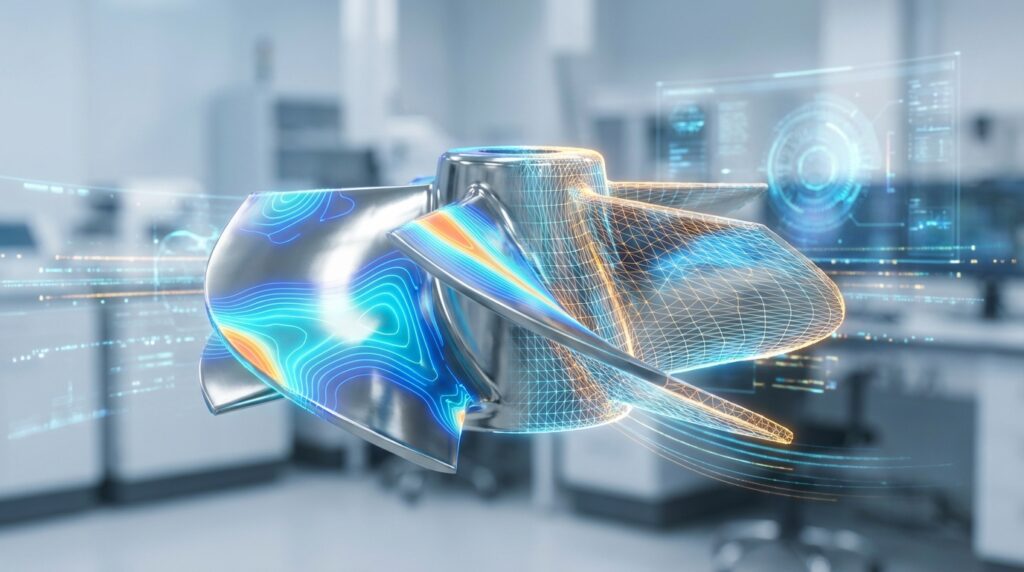
Courtesy of Wikimedia Commons. This image depicts stress concentration, a critical factor in fatigue analysis.
Understanding Fatigue and Its Engineering Impact
Before diving into the software, let’s briefly revisit why fatigue is such a critical consideration for engineers.
What is Material Fatigue?
Material fatigue refers to the weakening of a material caused by repeatedly applied loads. It’s not a sudden failure but a progressive, localized structural damage process that occurs when a material is subjected to cyclic or fluctuating stresses and strains. Even if these stresses are far below the material’s ultimate tensile strength or even its yield strength, microscopic cracks can initiate and propagate, eventually leading to macroscopic fracture.
Why Fatigue Analysis is Critical
For engineers, ignoring fatigue analysis can have severe consequences:
- Safety Criticality: Fatigue failures can lead to catastrophic accidents, jeopardizing human lives and public safety, especially in aerospace, automotive, and civil structures.
- Economic Impact: Unpredicted failures result in costly repairs, replacements, downtime, and potential litigation.
- Design Optimization: Proper fatigue analysis allows for optimized material usage, reducing weight and cost without compromising structural integrity.
- Service Life Prediction: It helps predict how long a component will reliably operate under anticipated loading conditions.
Industries Where Fatigue is Paramount
Fatigue analysis is a cornerstone in various sectors:
- Aerospace: Aircraft fuselage, wing structures, landing gear, and engine components are constantly subjected to cyclic loading (take-off, landing, turbulence).
- Oil & Gas: Offshore platforms, pipelines, risers, and drilling equipment endure harsh environmental conditions and cyclic wave loading.
- Automotive: Chassis, engine blocks, suspension systems, and vehicle frames experience continuous cyclic stresses from road conditions and engine vibrations.
- Biomechanics: Implants like hip replacements, dental prosthetics, and spinal fixation devices undergo millions of cycles within the human body.
- Energy: Wind turbine blades, nuclear power plant components, and conventional power generation equipment.
The Role of Fatigue Software in Modern Engineering
Fatigue software transforms complex theoretical concepts into practical, predictive tools, enabling engineers to design more resilient products.
Bridging Theory and Application
Modern fatigue software integrates seamlessly with Finite Element Analysis (FEA) and Computer-Aided Design (CAD) workflows. It takes the stress and strain results from your FEA simulations and applies fatigue theories to predict component life, damage, and factor of safety.
Key Capabilities of Fatigue Software
Advanced fatigue analysis packages offer a range of capabilities:
Stress-Life (S-N) Analysis
This is the most common approach, suitable for high-cycle fatigue where stresses are primarily elastic. It uses S-N curves, which plot stress amplitude against the number of cycles to failure for a given material. Tools like ANSYS Mechanical and Abaqus can readily perform S-N analysis.
Strain-Life (ε-N) Analysis
Ideal for low-cycle fatigue, where plastic deformation occurs. It uses ε-N curves, plotting strain amplitude against cycles to failure. This method provides more accurate predictions when local plastic yielding is significant.
Crack Propagation and Fracture Mechanics (FFS Level 3)
For components with existing cracks or defects, fracture mechanics approaches (e.g., Paris’ Law) predict crack growth rate and remaining life. This is crucial for Structural Integrity assessments and Fitness-for-Service (FFS) Level 3 evaluations, especially in industries like Oil & Gas. Dedicated modules or external tools, sometimes integrating with software like Abaqus, can handle these advanced analyses.
Multiaxial Fatigue
When components experience complex, simultaneous loads in multiple directions, multiaxial fatigue theories (e.g., critical plane methods) are needed. Fatigue software incorporates algorithms to handle these scenarios, which are common in real-world applications.
Variable Amplitude Loading
Most real-world loads are not constant. Fatigue software can process complex load histories (time-series data) and use cycle counting methods (like Rainflow counting) combined with damage accumulation rules (like Miner’s Rule) to predict life under variable amplitude loading.
Common Fatigue Software Tools
Many leading CAE suites include robust fatigue analysis capabilities or offer dedicated modules:
- ANSYS Mechanical: Comprehensive fatigue module, integrated with its powerful FEA solver, supporting S-N, ε-N, multiaxial, and variable amplitude fatigue.
- Abaqus/fe-safe: While Abaqus is a leading FEA solver, fe-safe (a complementary product) is a specialized, industry-leading fatigue analysis software that integrates with Abaqus, MSC Nastran, and others, offering extensive material models and analysis types.
- MSC Nastran/Patran: MSC Apex and Patran provide pre/post-processing for Nastran’s robust fatigue capabilities, covering a wide range of analyses.
- nCode DesignLife: Another specialized fatigue analysis software, often used with major FEA packages for advanced fatigue and durability studies.
- Altair HyperLife: Part of the HyperWorks suite, offering fatigue analysis for various industries.
Practical Workflow with Fatigue Software
Let’s outline a typical, practical workflow for conducting a fatigue analysis using specialized software.
Step-by-Step Guide to a Typical Fatigue Analysis
1. Model Preparation (Geometry, Material Properties)
- CAD Import: Start with your component’s CAD model. Ensure geometry is clean and suitable for FEA. Tools like CATIA, SolidWorks, or Inventor are often the origin.
- Material Definition: Accurately define material properties. This includes standard elastic properties (Young’s modulus, Poisson’s ratio) and, crucially, fatigue-specific data (S-N curves, ε-N curves, fatigue strength coefficient, fatigue ductility exponent, etc.).
2. Static/Transient Stress Analysis (FEA)
- Meshing: Generate an appropriate FEA mesh. Finer meshes are typically required in areas of high-stress concentration where fatigue cracks are likely to initiate. Consider using specialized elements for specific load cases.
- Boundary Conditions (BCs): Apply realistic boundary conditions and loads. For fatigue, the accuracy of stress/strain results from the FEA is paramount. A static analysis provides the stress state under peak loads, which the fatigue software then interprets over cycles. For dynamic systems (e.g., ADAMS simulations), time-history loads can be imported.
- Solver Run: Execute the FEA solver (e.g., Abaqus, ANSYS Mechanical) to obtain stress and strain distributions throughout the component.
3. Fatigue Setup (Loading, Cycles, Mean Stress Theory)
- Load Histories: Define the cyclic loading. This could be simple constant amplitude cycles or complex variable amplitude load spectra.
- Mean Stress Correction: Select an appropriate mean stress correction theory (e.g., Goodman, Soderberg, Gerber, Smith-Watson-Topper). Mean stress significantly affects fatigue life.
- Surface Finish/Stress Concentration Factors: Account for surface roughness, residual stresses, and geometric stress concentration factors which can reduce fatigue strength.
4. Running the Analysis
The fatigue software takes the stress/strain results from the FEA and the defined fatigue parameters to calculate various outputs.
5. Post-Processing and Interpretation
- Life Contour Plots: Visualize predicted fatigue life (in cycles) on your component.
- Damage Plots: Show areas of accumulated fatigue damage.
- Factor of Safety Plots: Indicate areas where the design meets or exceeds fatigue requirements.
- Critical Locations: Identify specific points or regions most susceptible to fatigue failure.
Data Requirements for Accurate Analysis
Garbage in, garbage out applies strongly to fatigue. High-quality input data is essential:
Material Data (S-N curves, E-N curves)
Obtained from experimental testing (e.g., rotating bending tests, axial fatigue tests). These curves are material-specific and depend on factors like temperature, surface finish, and environment.
Loading Spectra
Accurate representation of real-world load magnitudes, frequencies, and sequences. This often comes from field measurements, operational data, or standardized load cases.
Environmental Factors
Consider temperature, corrosive environments, and radiation, as these can significantly impact fatigue life.
Integration with CAD/CAE
Many fatigue analysis tools integrate directly into CAD/CAE environments. For example, some tools allow direct import of SolidWorks or CATIA models, or leverage results from ANSYS or Abaqus directly. This streamlines the process and ensures design changes can be quickly analyzed for their fatigue impact.
Advanced Concepts & Automation
Pushing beyond basic fatigue analysis requires leveraging advanced concepts and automation.
Integrating with Python & MATLAB
The power of scripting languages like Python and MATLAB cannot be overstated for advanced fatigue analysis:
Scripting for Pre/Post-processing
- Python: Many FEA software (Abaqus, ANSYS) offer Python APIs for automating model creation, mesh generation, applying loads, and extracting results. This is invaluable for repetitive tasks or large models.
- MATLAB: Excellent for processing experimental fatigue data, generating custom S-N/ε-N curves, and statistical analysis of fatigue test results.
Parametric Studies & Optimization
Scripts can automate hundreds or thousands of simulations with varying parameters (e.g., material thickness, fillet radius) to identify optimal designs for fatigue resistance.
Custom Fatigue Algorithms
For highly specialized cases not fully covered by commercial software, Python or MATLAB can be used to implement custom fatigue theories or damage models.
Fatigue in Multiphysics Simulations
For components operating in complex environments, fatigue analysis might need to consider coupled physics:
- Thermal-Mechanical Fatigue: Occurs when cyclic mechanical loads combine with cyclic thermal loads, common in power generation and high-temperature applications.
- Corrosion Fatigue: The synergistic effect of a corrosive environment and cyclic stress, leading to accelerated crack initiation and propagation.
Role in Structural Integrity and FFS (Fitness-for-Service) Level 3
Fatigue software plays a crucial role in assessing the remaining life of existing structures and components, particularly in the Oil & Gas and process industries. FFS assessments (e.g., API 579-1/ASME FFS-1) often require Level 3 evaluations, which involve detailed FEA and fatigue crack growth analysis to determine if equipment can safely operate beyond its original design life or with known defects.
Verification & Sanity Checks for Fatigue Simulations
Just like any simulation, fatigue analysis requires rigorous verification and validation to ensure reliable results.
Common Pitfalls and How to Avoid Them
- Mesh Sensitivity: Insufficiently refined mesh in critical stress concentration areas will yield inaccurate stress gradients, leading to incorrect fatigue life predictions. Always perform a mesh sensitivity study.
- Boundary Conditions Misrepresentation: Incorrectly applied loads or constraints can lead to unrealistic stress states. Double-check all BCs against actual operating conditions.
- Material Model Limitations: Using generic material properties instead of tested, specific fatigue data can introduce large errors. Understand the limitations of your material model.
- Loading Cycle Definition Errors: Errors in defining load amplitude, mean stress, or load sequence will directly impact fatigue life. Ensure your load history accurately reflects reality.
- Ignoring Stress Concentrators: Sharp corners, holes, and fillet radii must be accurately modeled and meshed to capture local stress concentrations.
Checklist for Reliable Fatigue Results
- Geometry & Mesh: Is the geometry accurate? Is the mesh fine enough at critical locations?
- Material Properties: Are the correct S-N/ε-N curves and other fatigue parameters used for the actual material and operating conditions?
- Loads & BCs: Are loads and boundary conditions realistic and correctly applied?
- FEA Results Review: Do the static stress/strain results make engineering sense (e.g., stress concentrations where expected)?
- Fatigue Theory Selection: Is the chosen fatigue theory (S-N, ε-N, multiaxial) appropriate for the loading regime (high cycle, low cycle, complex)?
- Mean Stress Correction: Is a suitable mean stress correction applied?
- Post-processing: Are the fatigue life, damage, and factor of safety plots interpreted correctly? Are critical locations identified?
- Sensitivity Studies: Have you performed sensitivity studies on key input parameters?
Validation and Correlation with Test Data
Whenever possible, validate your simulation results against experimental test data. This could involve physical fatigue testing of components or substructures. Discrepancies between simulation and test results provide valuable feedback for refining your models and assumptions. Even a simple comparison with similar components’ field performance can offer a sanity check.
Selecting the Right Fatigue Software
Choosing the right tool is essential for efficient and accurate fatigue analysis.
Key Considerations
- Industry Specificity: Does the software cater to specific industry standards or requirements (e.g., aerospace damage tolerance, oil & gas FFS)?
- Complexity of Analysis: Do you need basic S-N, or advanced multiaxial, crack propagation, or thermal-mechanical fatigue?
- Integration with Existing Tools: How well does it integrate with your current CAD, FEA (e.g., Abaqus, ANSYS, OpenFOAM results), and PLM systems?
- User Friendliness & Learning Curve: How easy is it for your team to learn and use effectively?
- Cost & Licensing: Budget constraints and licensing models (perpetual, subscription, cloud-based).
- Technical Support & Community: Availability of support, documentation, and user forums.
A Comparative Look
Here’s an illustrative comparison of fatigue analysis capabilities, focusing on integration:
| Software / Ecosystem | Key Strengths in Fatigue | Typical Integration | Best Suited For |
|---|---|---|---|
| ANSYS Mechanical | Integrated S-N, ε-N, multiaxial, variable amplitude. Strong FEA foundation. | Native with ANSYS suite; scripting with Python (PyMAPDL). | General purpose, strong for stress-based fatigue, thermal-mechanical. |
| Abaqus + fe-safe | fe-safe is a dedicated, highly advanced fatigue engine. Excellent material models. | Seamless with Abaqus. Integrates with MSC Nastran, etc. | High-end, complex fatigue, crack initiation and propagation. |
| MSC Nastran/Patran | Robust linear/nonlinear FEA with good fatigue options. | Native within MSC One platform. API for automation. | Aerospace, automotive, structural integrity. |
| nCode DesignLife | Specialized, comprehensive fatigue & durability. Excellent for real-world load data. | Integrates with all major FEA solvers (Abaqus, ANSYS, Nastran). | Durability engineering, test data correlation, variable amplitude loading. |
Future Trends in Fatigue Analysis
The field of fatigue analysis is continuously evolving with technological advancements:
- AI/ML for Predictive Maintenance: Machine learning algorithms are increasingly used to analyze sensor data from operating assets to predict remaining useful life and identify potential fatigue issues before they become critical.
- Digital Twins: Real-time fatigue monitoring and life prediction using digital twins, where a virtual model mirrors a physical asset, integrating real-world sensor data.
- Advanced Material Models: Development of more sophisticated constitutive models for composites, additive manufactured materials, and other advanced materials, improving prediction accuracy.
- Cloud-Based Solutions: Greater adoption of cloud computing for handling large-scale fatigue simulations and data processing.
Maximizing Your Investment in Fatigue Software
The true value of fatigue software comes from effective implementation and skilled usage.
Training and Expertise Development
Invest in continuous learning for your engineering team. Understanding the underlying fatigue theories, the software’s capabilities, and its limitations is crucial. Practical workshops and project-based learning are highly effective.
Leveraging Community and Support
Engage with user communities, online forums, and technical support. These resources can provide solutions to common challenges and insights into best practices.
Looking to deepen your expertise or troubleshoot a complex fatigue analysis? EngineeringDownloads.com offers specialized online consultancy and tutoring services to help engineers master these advanced tools and techniques. Explore our downloadable project templates and scripts to kickstart your next simulation!
Further Reading
For more in-depth knowledge on fatigue analysis best practices, consider resources from organizations like NAFEMS: NAFEMS Fatigue Analysis Resources
Ready-to-use model: A Simple Example of Fatigue Life Estimation using Abaqus and Fe-Safe (cyclic load) Course
See what is included, the software version and the full model details on the product page. Also useful: Fatigue and Cyclic Loading Package. Need help with your own project? Talk to our simulation team.
Related reading: Fatigue Life Prediction in FEA – A Comprehensive Guide (ANSYS, Abaqus, fe-safe & More) · FE-SAFE: Mastering Fatigue Analysis for Structural Integrity