Tired of Guessing with Cold Spray Simulation in Abaqus?
Ever tried simulating a cold spray process in Abaqus and found yourself wrestling with complex material models or staring at frustrating convergence errors? It’s a common headache. Modeling the high-speed impact of particles and their subsequent bonding to a substrate is incredibly challenging.
Getting the parameters just right can feel like you’re searching in the dark. You need accurate predictions for coating integrity, residual stress, and adhesion, but often end up with results that simply don’t match reality. You’re not alone – many engineers face these exact issues.
Understanding Cold Spray Analysis in Abaqus
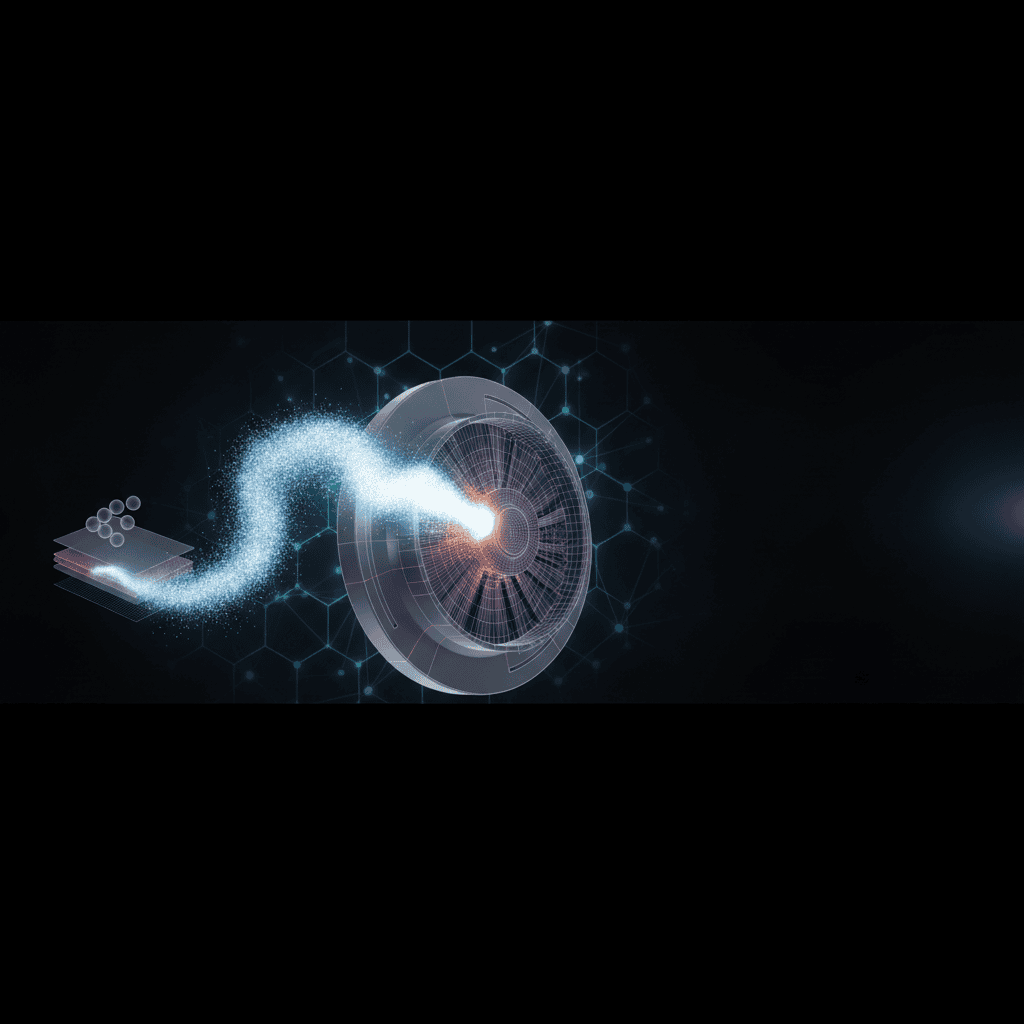
So, what exactly is cold spray, and why is simulating it so crucial for engineers? Cold spray is a fascinating coating technology. Unlike traditional thermal spray methods where particles are melted, cold spray accelerates solid powder particles to extremely high velocities (often 500-1200 m/s). When these particles hit a substrate, their kinetic energy deforms them, causing plastic deformation and metallurgical bonding without significant melting.
This “cold” process offers some amazing advantages. You can create dense, low-oxide coatings, reduce thermal stresses and distortions in the substrate, and even deposit materials that are sensitive to high temperatures. It’s a game-changer for repairing damaged components, adding protective layers, or fabricating new materials with unique properties.
As an engineer, you’ll need cold spray simulation when you’re designing new coating processes, trying to optimize process parameters like particle velocity or temperature, predicting how a coating will behave under load, or understanding the adhesion strength between the coating and the base material. Basically, any time you need to know what’s happening at that critical particle-substrate interface, simulation is your best friend.
Your Step-by-Step Guide to Cold Spray Simulation in Abaqus
Let’s walk through the typical approach for setting up a cold spray simulation in Abaqus. Think of this as what a senior engineer would tell you to look out for.
1. Define Your Materials Accurately
- What you need: You’ll need precise material properties for both your substrate and the cold spray particles. This isn’t just Young’s Modulus and Poisson’s Ratio; we’re talking density, yield strength, hardening behavior, and often, high strain rate properties.
- Why it matters: Particle impact happens incredibly fast, leading to very high strain rates. Standard elastic-plastic models might not cut it. You might need advanced models like Johnson-Cook or similar rate-dependent plasticity models to truly capture the material’s response under these extreme conditions.
2. Choose Your Particle Modeling Approach
- What you need: Abaqus offers a couple of main ways to handle the particles: Discrete Element Method (DEM) or Coupled Eulerian-Lagrangian (CEL).
- DEM (Discrete Element Method): Each particle is modeled individually. This is great for tracking individual particle behavior, interactions between particles, and complex particle shapes. It can be computationally intensive for many particles.
- CEL (Coupled Eulerian-Lagrangian): Here, the substrate is modeled with a Lagrangian mesh (moving with the material), while the particles are represented by an Eulerian mesh (fixed in space, through which material flows). This can be more efficient for a very large number of particles or when dealing with significant material flow. The choice depends on the scale and specific phenomena you’re interested in.
3. Set Up Contact and Adhesion Models
- What you need: This is arguably the most critical part for cold spray. You need to define the interaction between the particle and the substrate.
- Contact properties: This includes friction coefficients and normal contact behavior. High friction is usually present.
- Adhesion: For bonding, you might use cohesive zone models (CZM) or damage initiation and evolution criteria in your contact definitions. These models help predict when a bond forms and how strong it is.
4. Master Your Meshing Strategy
- What you need: A good mesh is non-negotiable.
- Fine mesh: The area where the particle impacts the substrate needs a very fine mesh. This allows Abaqus to capture the localized deformation, high stresses, and potential material flow accurately.
- Adaptive meshing: For simulations involving large deformations and evolving contact surfaces, adaptive meshing can be incredibly helpful. It automatically refines the mesh in critical areas during the analysis, preventing excessive element distortion.
5. Define Boundary Conditions
- What you need: Tell Abaqus how your system is constrained and what forces are applied.
- Substrate: Typically, you’ll fix the bottom or sides of the substrate to prevent rigid body motion.
- Particles: Assign the initial velocity, direction, and temperature to your incoming particles. Make sure these values reflect your actual cold spray process.
6. Configure Your Solver
- What you need: For high-speed impact events like cold spray, an explicit dynamic solver (like Abaqus/Explicit) is almost always the way to go.
- Explicit dynamics: This solver is designed for highly nonlinear, transient events where inertia effects are dominant.
- Time incrementation: Pay close attention to your stable time increment. You might need to use mass scaling (carefully!) to reduce run times, but always be aware of its impact on accuracy.
7. Post-Processing and Interpretation
- What you need: Once the simulation runs, you’ll analyze the results.
- Key outputs: Look at stress distribution, plastic strain, deformation, particle deposition patterns, and residual stresses. These tell you about coating integrity, potential failure points, and the overall mechanical state of your coated component.
Common Mistakes and How to Sidestep Them
Cold spray simulation is tricky, and it’s easy to stumble. Here are some common pitfalls and how to avoid them:
1. Using Basic Material Models for High Strain Rates
- The mistake: Assuming simple elastic-plastic properties are sufficient. Cold spray involves incredibly high strain rates (10^4 to 10^6 s^-1), which significantly change material behavior.
- The fix: Research and implement rate-dependent material models like Johnson-Cook, Zerilli-Armstrong, or Cowper-Symonds. Get experimental data for your materials at relevant strain rates if possible, or consult literature.
2. Coarse Meshing in the Impact Zone
- The mistake: Using elements that are too large near the impact point. This will completely miss critical deformation and stress concentrations.
- The fix: Always use a very fine mesh (often with element sizes in the micron range) in the area where particles hit. Employ adaptive meshing to handle severe element distortion and ensure solution stability and accuracy as material deforms.
3. Unrealistic Contact Properties
- The mistake: Guessing friction coefficients or neglecting adhesion models. Incorrect contact definitions can lead to particles bouncing off unrealistically or “sticking” too easily.
- The fix: Calibrate your contact parameters. Start with values from literature or empirical data. If modeling adhesion, carefully define cohesive zone parameters based on material science principles or validation tests.
4. Stability Issues and Excessive Run Times
- The mistake: Your simulation either blows up (diverges) or takes days to complete. This is often due to an unstable time increment or an overly complex model.
- The fix: For Abaqus/Explicit, ensure your stable time increment is appropriate. Consider using small amounts of mass scaling (e.g., a few percent) if absolutely necessary to speed up computation, but always verify that it doesn’t compromise your results. Simplify geometry or boundary conditions where details aren’t critical.
5. Ignoring Temperature Effects
- The mistake: “Cold” spray implies no heat, right? Wrong! The kinetic energy of impact is converted into heat, leading to localized temperature rises that can influence material properties and bonding.
- The fix: Implement thermal coupling in your simulation if temperature changes are significant. This allows you to account for localized heating and its effect on material flow and bond formation.
6. Skipping Validation
- The mistake: Trusting your simulation results without comparing them to anything real.
- The fix: Always validate your models. Start with simpler analytical solutions, compare with experimental data (like impact crater size, bond strength, or residual stress measurements), or cross-reference with published research. Validation builds confidence in your simulations.
Key Stages in Cold Spray Simulation in Abaqus
| Stage | Key Considerations | Why it Matters |
|---|---|---|
| Material Definition | Accurate properties for substrate and particle (density, yield strength, hardening, failure). High strain rate data. | Governs deformation, adhesion, and overall structural integrity. Incorrect data leads to invalid results. |
| Particle Modeling | Choosing DEM vs. CEL. Particle size distribution, initial velocity, temperature. | Defines how particles interact and deposit. Impacts computational cost and accuracy of deposition. |
| Contact & Adhesion | Friction coefficient, normal behavior (hard contact, penetration), cohesive zone models (CZM). | Crucial for predicting particle bonding, rebound, and coating integrity. Poor contact setup yields unrealistic adhesion. |
| Meshing Strategy | Fine mesh in impact zone, adaptive meshing for evolving geometry. Element types. | Controls accuracy of impact mechanics and stress distribution. Coarse meshes miss critical details. |
| Boundary Conditions | Substrate fixity, particle injection velocity and angle, temperature conditions. | Defines the simulation environment. Incorrect BCs can cause spurious reflections or unrealistic particle paths. |
| Solver Settings | Explicit dynamic analysis, mass scaling, stable time increment, output requests. | Ensures computational stability and efficiency. Balances accuracy with run time. |
What You Get in This Package
Navigating these complexities can be a huge time sink. What if you could jump straight to analyzing results instead of spending weeks on setup and troubleshooting? A ready-to-run simulation package for cold spray analysis can be a game-changer.
Typically, a package like the Cold Spray Analysis Package in Abaqus includes pre-built Abaqus/Explicit model files that are already configured for common cold spray scenarios. This means you’re not starting from scratch. You’ll usually get:
- Ready-to-run Abaqus files: Fully set up input files and models for different scenarios (e.g., varying particle sizes, impact velocities, or material combinations).
- Step-by-step documentation: Clear, concise instructions that guide you through modifying, running, and interpreting the simulation. No more guessing about parameters!
- Example models: Pre-validated models for single particle impacts, multiple particle impacts, or even simplified deposition scenarios.
- Validation cases: Often, these packages come with cases that have been compared against experimental data or published literature, giving you confidence in the methodology.
This means less time fighting with software and more time focusing on engineering decisions. It’s like having a senior expert’s knowledge distilled into a usable, efficient tool.
Bringing It All Together
Cold spray simulation in Abaqus, while challenging, is an incredibly powerful tool for understanding and optimizing this advanced manufacturing process. By paying close attention to material models, meshing, contact definitions, and validation, you can overcome many of the common hurdles.
Remember, the goal is not just to run a simulation, but to gain valuable insights that drive better engineering decisions. Whether you build your model from the ground up or leverage a pre-built solution, a solid understanding of the underlying physics and numerical methods will always lead to better results.
For further reading on the complexities and applications of cold spray modeling, you might find this external resource helpful: DOE Report on Cold Spray Process Modeling.
Frequently Asked Questions About Cold Spray Simulation
1. What is cold spray simulation used for?
Cold spray simulation is used to predict and optimize various aspects of the cold spray process. This includes understanding particle impact dynamics, predicting adhesion strength, analyzing residual stresses in coatings, optimizing process parameters (like particle velocity and temperature), and designing new materials or repair strategies.
2. Which Abaqus solver is best for cold spray?
For cold spray simulations involving high-speed particle impacts and large deformations, the Abaqus/Explicit solver is almost always the preferred choice. It’s designed for highly nonlinear, transient dynamic events where inertial effects are dominant.
3. How do I model particle adhesion in Abaqus?
Particle adhesion in Abaqus can be modeled using contact properties with damage initiation and evolution, or more specifically, cohesive zone models (CZM). CZMs define a traction-separation law that describes the material’s behavior before, during, and after bond formation or failure at the interface.
4. What are the key material properties needed for cold spray simulation?
You’ll need density, Young’s modulus, Poisson’s ratio, and importantly, plastic properties that account for high strain rates (e.g., yield strength, hardening curves, and rate-dependent models like Johnson-Cook). Thermal properties might also be necessary if heat generation at impact is considered.
5. Is thermal modeling important for “cold” spray?
Yes, even though it’s called “cold” spray, the kinetic energy of the high-velocity particles is converted into significant localized heat during impact. This can cause temperature rises that affect material properties and bonding mechanisms. Therefore, coupled temperature-displacement analysis might be important for accurate predictions.
6. How can I validate my cold spray simulation results?
Validation is crucial. You can validate your simulation results by comparing them with experimental data, such as impact crater geometry, microhardness measurements, bond strength tests, residual stress profiles (e.g., using X-ray diffraction), or microstructural analysis of the deposited coatings. Comparing with established analytical solutions for simplified cases is also a good starting point.
7. What’s the difference between DEM and CEL for particle modeling in Abaqus?
DEM (Discrete Element Method) models each particle individually as a distinct entity, tracking its motion and interactions. It’s good for detailed particle-particle and particle-surface interactions. CEL (Coupled Eulerian-Lagrangian) models the particles as material flowing through a fixed Eulerian mesh, while the substrate is Lagrangian. CEL is often more efficient for very large numbers of particles or significant material flow, but might sacrifice some individual particle detail.