You run a model in Abaqus/Standard, get a displacement and a reaction force, then switch on geometric nonlinearity and rerun. The numbers move — sometimes stiffer, sometimes much weaker. Nothing else changed.
So which run is right? That is the real question behind Abaqus NLGEOM on or off, and the answer is not “always turn it on”. It depends on whether the deformation is big enough to change how the load is carried. Here is what the switch does, what the defaults are, and how to tell which answer to trust.
What NLGEOM actually switches on
NLGEOM tells Abaqus to account for the geometry changing while the load is applied. The documentation defines it directly: “Geometric nonlinearity occurs whenever the magnitude of the displacements affects the response” of the structure.
With NLGEOM off, Abaqus/Standard builds the stiffness matrix once on the undeformed shape and solves — “by default, Abaqus/Standard assumes small deformations”. With it on, stiffness is re-formed on the deformed configuration as the solution progresses, so three effects enter the answer:
- “Large deflections or rotations.”
- “Snap through.”
- “Initial stresses or load stiffening.”
The third is the one engineers underestimate. A pre-tensioned member is stiffer in bending than the same member with no tension in it. A thin plate pushed out of plane starts carrying load as a membrane, not only in bending. Neither effect exists in a geometrically linear run.
The effect does not need huge movement either. With snap-through, the docs note, “displacements do not necessarily have to be large relative to the dimensions” of the structure. A shallow arch or dome can lose stiffness entirely at a deflection you would call small — the documentation describes the point where “the stiffness becomes negative”. A linear run never shows you that; it reports a stiff, safe, wrong structure.
The defaults differ between Standard and Explicit
In Abaqus/Standard it is off unless you ask for it: “Omit this parameter or set NLGEOM=NO to perform a geometrically linear analysis during the current step.” Abaqus/CAE agrees — the setting is “turned off by default for Abaqus/Standard steps”.
In Abaqus/Explicit it is the opposite. The keyword reference gives “Set NLGEOM=YES (default)”, and adds that “The default value… is YES unless the Abaqus/Explicit analysis is an import analysis.”
So an Explicit job has had large-displacement effects on the whole time, whether you thought about it or not. If an implicit and an explicit model of the same part disagree and the implicit one looks stiffer, check this before blaming anything else.
One more limit: in Abaqus/Standard, NLGEOM=YES applies to “stress analysis, fully coupled thermal-stress analysis, and coupled thermal-electrical-stress analysis only”.
NLGEOM is sticky — once on, it stays on
This catches people in multi-step jobs. The keyword reference is unambiguous: “Once the NLGEOM option has been switched on, it will be active during all subsequent steps”. Abaqus/CAE goes further — “you cannot toggle it off”.
So if you switch it on for a bolt-pretension step at the start of a job, every step after it is nonlinear too, including ones where you did not want it. Decide this with the whole step sequence in front of you. If you need one linear step and one nonlinear step, the linear one has to come first.
Four signs you need NLGEOM on
There is no displacement-to-thickness number in the Abaqus documentation that tells you when to switch over, so be suspicious of any rule of thumb claiming otherwise. These are the practical signals.
1. Deflection is comparable to a thickness or section depth
If a plate or shell deflects out of plane by roughly its own thickness or more, membrane stiffening is already active. The Abaqus skew plate example shows it: the nonlinear peak deflection comes out “about 9% less than that predicted from the linear analysis”, because “membrane effects cause some of the load to be carried by membrane action”. The documentation’s summary of that run is that “This makes the plate stiffer.” Thin-walled parts reach this point sooner than people expect.
2. Any rotation you could see by eye
Cantilevers, flexible brackets, cables, slender beams. Once a member rotates noticeably, a transverse load gains a component along the member — the docs describe this on a cantilever, where the load develops “a component acting along the length of the beam”.
3. Buckling, collapse or any instability
Eigenvalue buckling gives a bifurcation load from the undeformed shape. It says nothing about behaviour after that point and includes no imperfection sensitivity. Any post-buckling path, plastic collapse or snap-through needs geometric nonlinearity on, usually with a Riks arc-length solution. It is also why a negative eigenvalue warning reads differently in a nonlinear run.
4. Pre-load sets the stiffness
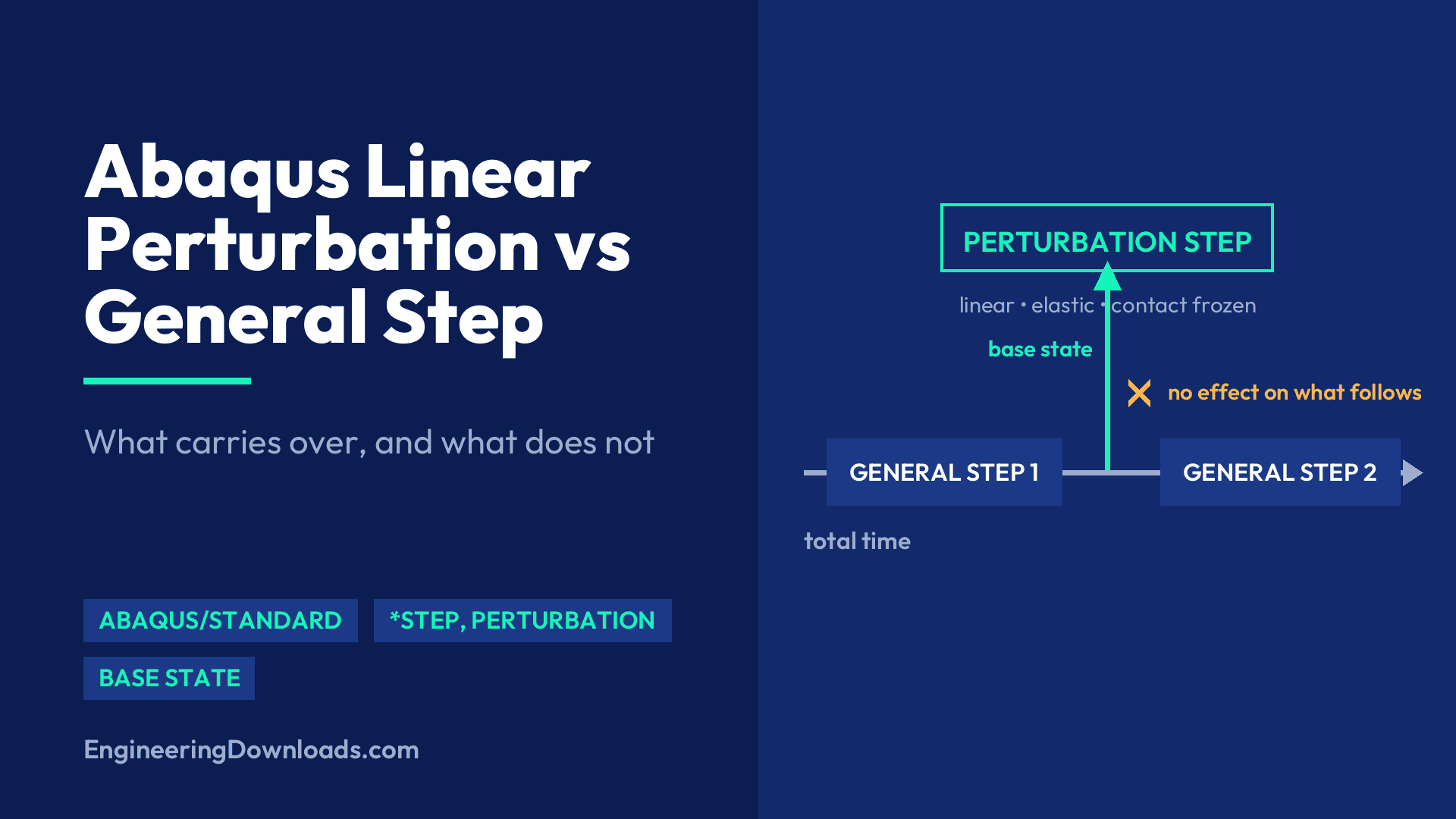
Bolt pretension, rotor spin-up, a tensioned cable, internal pressure stiffening a thin shell. If the stiffness you want to measure depends on a load already present, you need geometric nonlinearity to capture it. The load then reaches the frequency or buckle step through the base state, which is the mechanism behind linear perturbation versus general steps.
If none of these apply — a thick bracket deflecting a fraction of a millimetre, a stress check on a stiff machined part — a linear run is correct and faster.
How to switch it on
In Abaqus/CAE: Step module → create or edit your static step → Basic tab → set Nlgeom to On. The Step Manager then shows it on for every later step, and will not let you turn it back off.
In the input file it is a parameter on the step line:
*STEP, NLGEOM=YES, INC=1000
Pull the plate out of plane
*STATIC
0.05, 1.0, 1e-8, 0.1
Two things usually change with it. Raise the increment limit, because a nonlinear step takes more increments than a linear one and the Abaqus default is 100. And give a sensible initial increment; the documentation suggests “an initial increment size that is 5% to 10% of the total step time is usually sufficient”. If you are editing the input file by hand, check every *STEP line, not only the first.
So which answer is right?
Back to the two reaction forces. The honest procedure is the one the Abaqus documentation uses on the skew plate: run both, compare, and let the size of the difference tell you whether the linear assumption was ever valid.
- They agree within a percent or two. Deformation is small enough that geometry change does not matter. Use the linear one and move on.
- They differ by more than a few percent. The linear assumption has broken down. The nonlinear run is the valid one — not because it is more conservative, but because the linear run is solving a structure that does not exist at that load.
- They differ a lot and the nonlinear run looks weaker. Stability, not stiffness, is probably governing. A linear run cannot see loss of stiffness, so it stays reassuring right up to the collapse load.
A geometrically nonlinear result is not invalidated by the linear one disagreeing with it. It works the other way round.
Common mistakes
- Turning it on everywhere as a habit. It costs solve time and can turn a clean linear job into a convergence fight. Enable it because a physical effect needs it, not as insurance.
- Enabling it in step 1 of a six-step job without thinking. It is sticky. All six steps are now nonlinear.
- Leaving the increment limit at 100. A step that stops at the cap looks like a failed analysis, and the “too many attempts” message is often just a step needing a smaller initial increment.
- Comparing an implicit model with NLGEOM off against an explicit one. Explicit has it on by default, so you are not comparing the same problem.
- Blaming NLGEOM for a unit problem. If two runs differ by a factor of a thousand, check your unit system first.
Ready-to-use models
The fastest way to build judgement here is to open a model where both runs already exist and flip the setting yourself. These packages include the full model files:
- Abaqus Buckling Analysis of a Steel Braced Frame (Linear + Nonlinear) — the clearest side-by-side: eigenvalue and geometrically nonlinear solutions of the same frame.
- Abaqus External-Pressure Buckling of a Cylindrical Pressure Vessel: Eigenvalue and Static Riks Analysis — how far the eigenvalue load sits from real collapse on a thin shell.
- Transmission Tower Collapse under Extreme Wind in Abaqus: Buckling, Riks and Post-Buckling — a full collapse path, validated against a published paper.
- DNV-RP-C208 Examples 8.2–8.4 in Abaqus: Frame Corner Buckling and Nonlinear Collapse — geometric nonlinearity inside a code-based resistance check.
More Abaqus and ANSYS packages, tutorials and courses are in the Engineering Downloads shop.
FAQ
Is NLGEOM on or off by default in Abaqus?
It depends on the solver. In Abaqus/Standard it is off by default — omitting the parameter gives “a geometrically linear analysis during the current step”. In Abaqus/Explicit it is on by default, unless the job is an import analysis.
Can I turn NLGEOM off again in a later step?
No. Once switched on it “will be active during all subsequent steps”, and Abaqus/CAE states that “you cannot toggle it off”. A geometrically linear step has to come before the step where you enable it.
Why did my reaction force change when I turned NLGEOM on?
Because the load path changed. On the deformed shape, part of the load may be carried by membrane action instead of bending, a transverse load may gain a component along the member, and pre-load may stiffen or soften the structure. If the change is more than a few percent, the linear run was not valid at that load.
Does NLGEOM make the structure stiffer or weaker?
Either, depending on the mechanism. Membrane stiffening makes a loaded plate stiffer — the Abaqus skew plate example gives a nonlinear deflection “about 9% less than that predicted from the linear analysis”. Snap-through does the opposite, to the point where “the stiffness becomes negative”. You cannot predict the direction in advance, which is why you run both.
Do I need NLGEOM for a large-strain plasticity problem?
If the part is visibly changing shape, yes. Geometric and material nonlinearity are separate settings — a plasticity model on its own does not update the geometry. Forming, crushing and necking problems need both.
Conclusion
NLGEOM is not a quality setting you leave on to be safe. It is a modelling decision about whether shape change is big enough to alter how the load is carried. Switch it on when deflection approaches a thickness, when rotations are visible, when stability governs, or when pre-load sets the stiffness. Decide before you build the step sequence, because you cannot take it back. When two runs disagree by more than a few percent, the nonlinear one describes your structure.
For working models to test this on, browse the packages in the shop. If you have a nonlinear model that will not converge, or a collapse load you need verified against a standard, we take on custom simulation and consulting projects.
Documentation references: Abaqus Analysis User’s Guide — Geometric nonlinearity and the *STEP keyword reference.