Unlocking the Human Machine: A Practical Guide to Biomechanics Simulation
As engineers, we often work with complex systems. Few are as intricate and dynamic as the human body. Biomechanics simulation applies fundamental engineering principles – mechanics, fluid dynamics, and material science – to biological systems. It’s a powerful tool, enabling us to analyze everything from the stresses on a prosthetic joint to the fluid dynamics of blood flow in an artery or the forces exerted during athletic performance.
This field is rapidly expanding, driven by advancements in computational power and sophisticated software. For engineers in medical device design, sports science, ergonomics, or injury forensics, understanding and applying biomechanics simulation is no longer a niche skill – it’s a core competency.

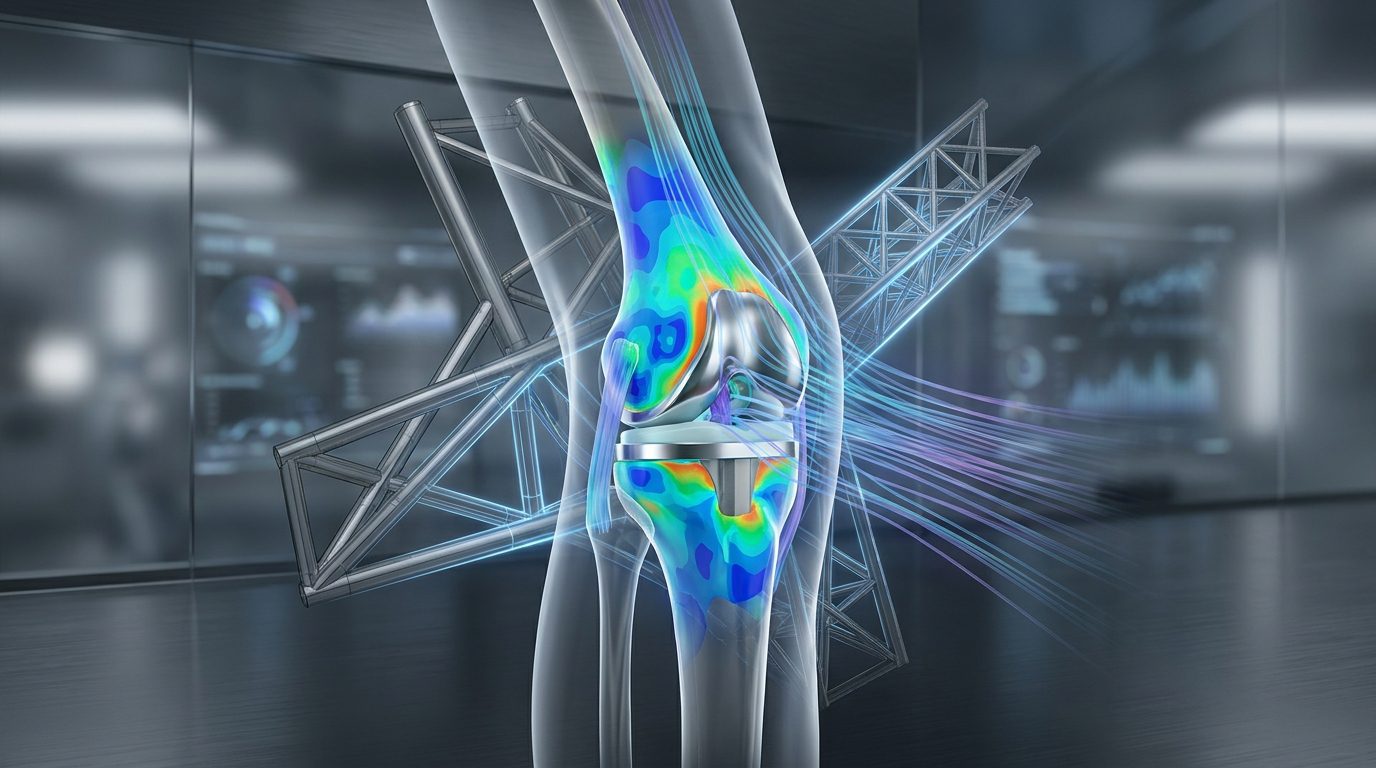
Image: Finite Element Analysis of a human femur fracture, illustrating biomechanics simulation.
Why Biomechanics Simulation is Crucial for Modern Engineering
The ability to simulate biological systems offers unparalleled advantages across numerous industries. It allows engineers to gain insights that are difficult, expensive, or ethically impossible to obtain through physical experimentation.
Key Applications
- Medical Devices: Designing and optimizing implants (hips, knees, spinal fixation), surgical tools, and prosthetics for durability, fit, and physiological compatibility.
- Sports Science: Analyzing athletic performance, optimizing equipment, and preventing injuries by understanding forces on muscles, bones, and joints.
- Ergonomics: Designing safer workspaces and products by simulating human-product interaction to reduce repetitive strain injuries and improve comfort.
- Injury Prevention & Forensics: Reconstructing injury mechanisms in accidents, assessing impact tolerance, and designing protective equipment.
- Tissue Engineering: Predicting tissue growth, remodeling, and response to mechanical stimuli.
Benefits to Engineering Projects
- Reduced Development Costs: Fewer physical prototypes and tests are needed.
- Accelerated Design Cycles: Rapid iteration and optimization of designs.
- Improved Safety & Performance: Rigorous analysis leads to more reliable and safer products.
- Deeper Understanding: Provides insights into internal stresses, strains, and deformation that are not externally visible.
Core Principles and Engineering Concepts
Biomechanics simulation draws heavily on established engineering mechanics principles, but with the added complexity of biological materials and living systems.
Solid Mechanics in Biomechanics
At its heart, much of biomechanics simulation involves solid mechanics, particularly Finite Element Analysis (FEA). This helps us understand how biological structures deform and experience stress under various loads.
- Material Models: Biological tissues are rarely simple. We often deal with non-linear, anisotropic, viscoelastic, and hyperelastic materials. For example, bone is anisotropic (properties vary with direction), while soft tissues like ligaments or skin exhibit hyperelastic (large deformation without damage) and viscoelastic (time-dependent) behavior.
- Contact Mechanics: Essential for simulating joint articulations (e.g., knee or hip joints) or the interaction between an implant and bone. Accurate contact definitions and friction models are critical.
- Bone Remodeling: Some advanced simulations even attempt to model the dynamic process of bone adapting its density and structure in response to mechanical stress.
Multi-Body Dynamics (MBD) for Movement Analysis
When the focus is on the motion and forces within a system of connected rigid or flexible bodies, Multi-Body Dynamics (MBD) comes into play. This is crucial for analyzing human gait, reaching movements, or sports actions.
- Kinematics & Kinetics: MBD simulations can model the kinematics (motion without considering forces) and kinetics (motion caused by forces) of complex joint systems, providing data on joint reaction forces, muscle forces, and segment accelerations.
- Tools: Software like MSC ADAMS is commonly used for MBD analysis in biomechanics, often coupling with FEA for more detailed component analysis.
Fluid-Structure Interaction (FSI)
While less common in musculoskeletal biomechanics, FSI is vital for cardiovascular or respiratory biomechanics. It involves simulating the interaction between a fluid (like blood or air) and the deforming solid structure (like a blood vessel wall or airway).
- CFD Integration: This typically involves integrating Computational Fluid Dynamics (CFD) with FEA, requiring specialized solvers or coupled analysis techniques.
The Practical Workflow of a Biomechanics Simulation Project
Executing a successful biomechanics simulation requires a systematic approach. Here’s a typical workflow, guiding you from problem definition to results interpretation.
1. Defining the Problem and Scope
Start with clarity. What question are you trying to answer? What are the key performance indicators (KPIs)?
- Clear Objectives: Are you assessing implant stability, predicting fracture risk, or optimizing ergonomic design?
- Boundary Conditions & Loads: Identify realistic physiological loads (e.g., muscle forces, ground reaction forces) and constraints (e.g., fixed joints, external supports).
- Simplification Strategy: Decide what details can be excluded without compromising accuracy for the specific problem.
2. CAD Modeling & Geometry Preparation
Biological geometries are complex and often derived from medical imaging.
- Medical Imaging to CAD: Often, geometry starts as DICOM data from MRI or CT scans. Specialized software like Mimics or 3-matic is used to segment tissues and convert them into 3D CAD models.
- CAD Software: Tools like SolidWorks, CATIA, or Creo are then used for cleaning, simplifying, and assembling models (e.g., implant into bone).
- Simplification: Reduce complexity for meshing efficiency without losing critical anatomical features. Small holes, fillets, or irrelevant details might be removed.
3. Material Characterization
This is often the most challenging aspect due to the variability and complex behavior of biological tissues.
- Tissue Properties: Research existing literature for typical material properties (Young’s modulus, Poisson’s ratio, yield strength) for bone, cartilage, ligaments, etc. Be aware of ranges and variability.
- Non-linear Models: Most biological tissues require non-linear material models (e.g., hyperelastic for soft tissue, anisotropic for bone). Abaqus and ANSYS Mechanical offer extensive material model libraries.
- Sources: Experimental data from mechanical testing (tensile, compression), published literature, and specialized material databases.
4. Meshing Strategies
Generating an appropriate mesh is fundamental for accurate FEA results.
- Element Types: Tetrahedral elements are common for complex biological geometries due to their ease of generation. Hexahedral elements are preferred where possible for better accuracy and convergence.
- Mesh Density: Refine the mesh in critical areas (e.g., contact zones, stress concentration points, near implant interfaces) where high stress gradients are expected.
- Mesh Quality: Pay attention to aspect ratio, skewness, and Jacobian for element quality to ensure solver stability and accurate results.
5. Applying Loads & Boundary Conditions
Accurate and physiologically relevant loads and BCs are paramount.
- Physiological Loads: These can come from inverse dynamics (MBD analysis), experimental measurements (force plates, motion capture), or published data. Examples include muscle forces, ground reaction forces, joint reaction forces, or internal fluid pressures.
- Boundary Conditions: Define appropriate constraints, such as fixed displacements (e.g., anchoring a bone segment) or symmetry conditions. Carefully consider the effects of these assumptions.
- Pre-stress/Pre-load: Some biological systems (e.g., ligaments, certain tissues) operate under inherent tension. Incorporating pre-stress can be crucial for realism.
6. Solver Selection & Execution
Choose the right tool for the job.
- FEA Solvers: Abaqus, ANSYS Mechanical, and MSC Nastran are industry-standard for structural biomechanics.
- MBD Solvers: MSC ADAMS is a leading tool for kinematic and kinetic analysis of multi-body systems.
- Solver Type: Implicit solvers are good for static or quasi-static problems. Explicit solvers are better for highly non-linear, dynamic, or impact scenarios (e.g., fracture, high-speed events).
- Convergence: Monitor convergence criteria closely. Non-convergence is a common issue in highly non-linear biomechanics problems. Adjusting time steps, contact parameters, or material models might be necessary.
7. Post-Processing & Interpretation
Transform raw data into meaningful engineering insights.
- Visualization: Use contour plots (stress, strain, displacement), vector plots (force, velocity), and animations to understand the structural response.
- Quantitative Analysis: Extract numerical data at specific points or regions, calculate safety factors, and compare with failure criteria or design targets.
- Biological Context: Always relate your findings back to the biological question. Does the stress distribution make physiological sense? Are the predicted deformations realistic?
Verification & Sanity Checks in Biomechanics Simulation
Trustworthy simulation results are built on rigorous verification and validation. Never skip these steps.
Mesh Convergence Studies
Ensure your results are independent of mesh density.
- Run the simulation with successively finer meshes.
- Plot key output parameters (e.g., maximum stress, peak displacement) against the number of elements or a characteristic mesh size.
- The results should asymptote to a stable value. If not, your mesh is too coarse.
Boundary Condition Sensitivity Analysis
How sensitive are your results to small changes in applied loads or constraints?
- Vary the magnitude or direction of critical loads and observe the impact on your primary outputs.
- Slight adjustments to fixation points or contact definitions can sometimes drastically alter results.
Material Property Sensitivity
Given the variability of biological tissues, it’s essential to understand the influence of material property uncertainty.
- Perform parametric studies by varying material properties (e.g., Young’s modulus of bone, stiffness of ligaments) within their known physiological ranges.
- This helps identify which properties have the most significant impact on your design and where further experimental characterization might be needed.
Comparison with Analytical or Experimental Data
Wherever possible, validate your simulation against real-world data.
- Analytical Solutions: For simplified geometries or loading conditions, compare with hand calculations or classical mechanics solutions.
- Experimental Data: Compare simulation predictions with laboratory tests (e.g., cadaveric testing, in-vitro experiments) or published clinical data.
- Literature Review: Always cross-reference your results with similar studies in peer-reviewed literature.
Common Pitfalls & Troubleshooting
Even experienced engineers encounter issues. Here’s what to look out for:
- Non-convergence: Often due to highly non-linear behavior, poor mesh quality, excessively large time steps, or incorrect contact definitions. Try smaller increments, adjust contact parameters, or refine the mesh.
- Unrealistic Deformations: Check material properties, load magnitudes, and boundary conditions. A common mistake is incorrect units or applying loads in the wrong direction.
- Inappropriate Material Models: Using a linear elastic model for highly deformable soft tissue will lead to inaccurate results. Ensure your chosen model accurately represents the tissue’s behavior.
- Contact Issues: Gaps or penetrations at contact interfaces can lead to non-convergence or erroneous stress concentrations. Carefully define contact surfaces and associated parameters.
Tools of the Trade for Biomechanics Simulation
A range of software tools supports the biomechanics simulation workflow, covering various aspects from geometry preparation to advanced analysis.
- FEA Software: Leading tools include Abaqus (strong in non-linear, contact, and advanced material models), ANSYS Mechanical (comprehensive suite, user-friendly interface), and MSC Nastran (robust for linear and non-linear analysis).
- Multi-Body Dynamics (MBD): MSC ADAMS is the industry standard for simulating the kinematics and kinetics of multi-body systems, ideal for human movement analysis.
- Pre-processing & Post-processing: Many FEA packages have integrated pre/post-processors. Standalone tools like MSC Patran or Altair HyperMesh offer advanced meshing and visualization capabilities.
- Medical Imaging to CAD: Mimics and 3-matic (Materialise) are specialized tools for segmenting medical image data (CT, MRI) and generating accurate 3D printable or CAD models.
- CAD Software: SolidWorks, CATIA, Creo for general CAD modeling, cleanup, and assembly.
- Scripting & Automation: Python and MATLAB are invaluable for automating workflows, parameterizing models, post-processing results, and integrating different software tools. You can find downloadable scripts and templates on platforms like EngineeringDownloads.com to kickstart your automation efforts.
Tips for Success in Biomechanics Simulation
Mastering biomechanics simulation takes time and practice. Here are some practical tips:
- Start Simple, Then Iterate: Don’t try to model the entire human body at once. Begin with a simplified sub-system, get it working, and then progressively add complexity.
- Understand the Biology: Collaborate with biologists, clinicians, or anatomists. A solid understanding of the biological system, its function, and potential failure modes is as important as your engineering expertise.
- Validate Aggressively: Always seek opportunities to compare your simulation results with experimental data or published literature. This builds confidence in your models.
- Document Everything: Keep detailed records of your assumptions, material properties, boundary conditions, and solver settings. This is crucial for reproducibility and troubleshooting.
- Leverage Resources: Utilize online forums, software documentation, and academic papers. The biomechanics community is often very collaborative.
Further Reading
For more in-depth knowledge on the specifics of biomechanics and computational modeling, consider exploring resources from academic institutions specializing in the field: Stanford University Biomechanics Research